
Everything you copy, one tap away.
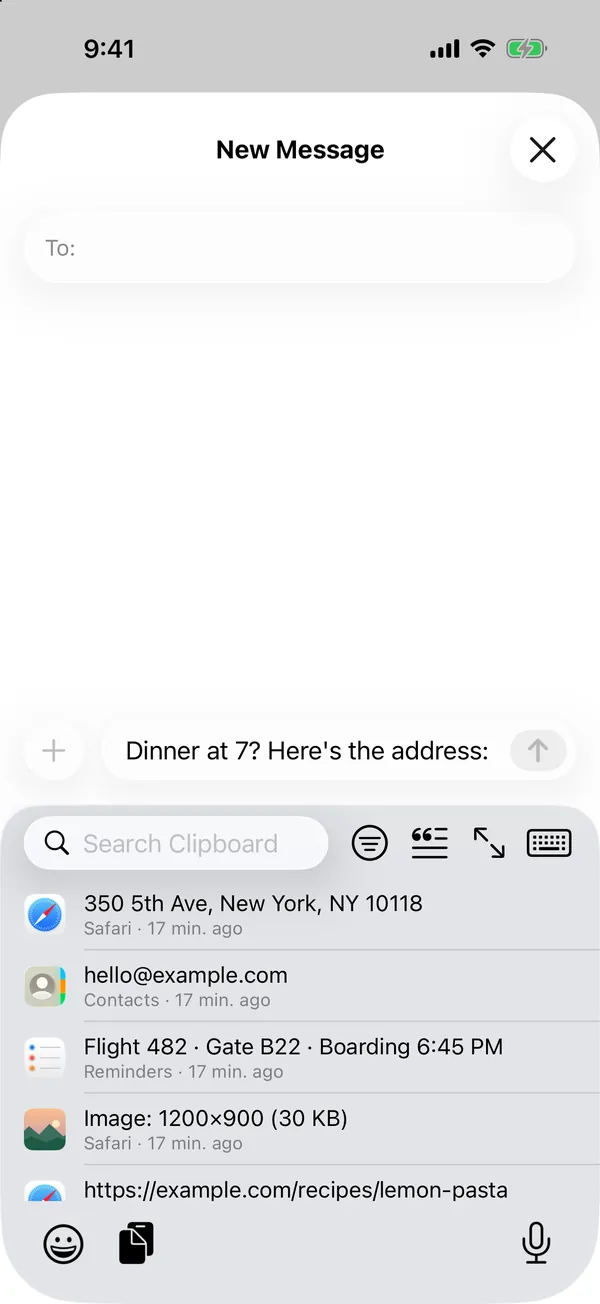
Haversack keeps what you copy and puts it right in the keyboard of every app. Tap a copy and it's typed where you were.
iOS 15 to 26, rootless. In every app, with no keyboard to switch to.


Your clipboard, remembered.
iOS keeps one copy and forgets the rest. Haversack keeps them all, and brings them to the keyboard wherever you type.
Your history, in every app
Text, links, images and files, newest first, with the app each came from. A button beside the emoji key, or Clipboard next to Paste.
Find it fast
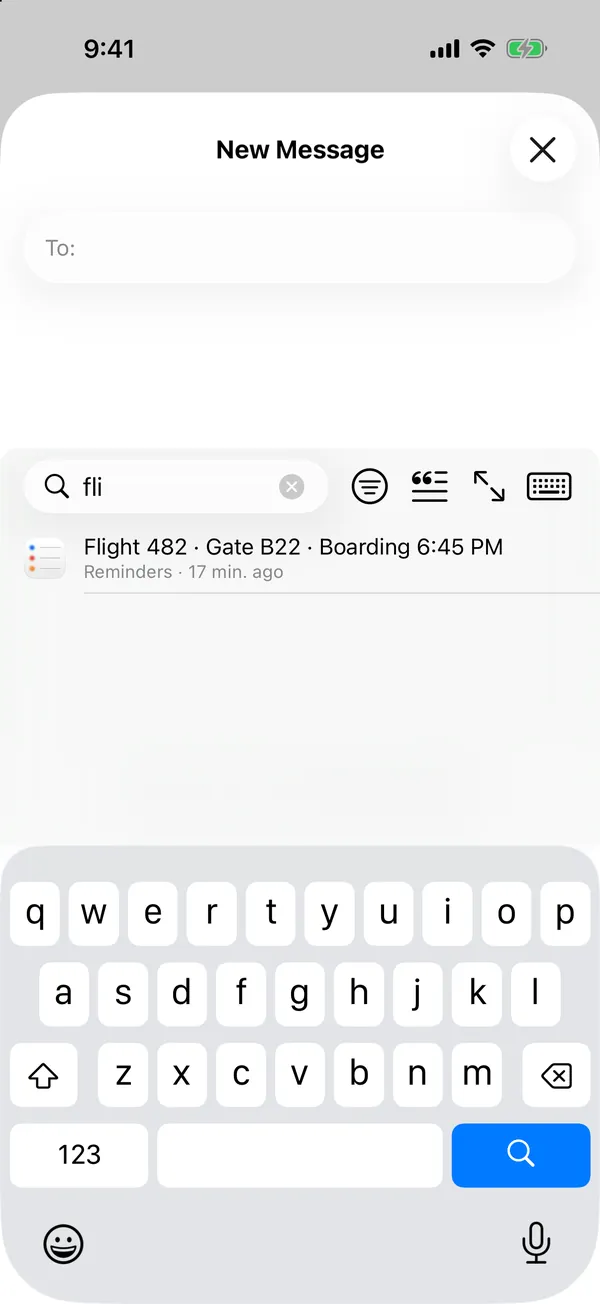
Search every copy as you type, filter by kind, pin what you use often and group pins into collections.
Do more with a copy
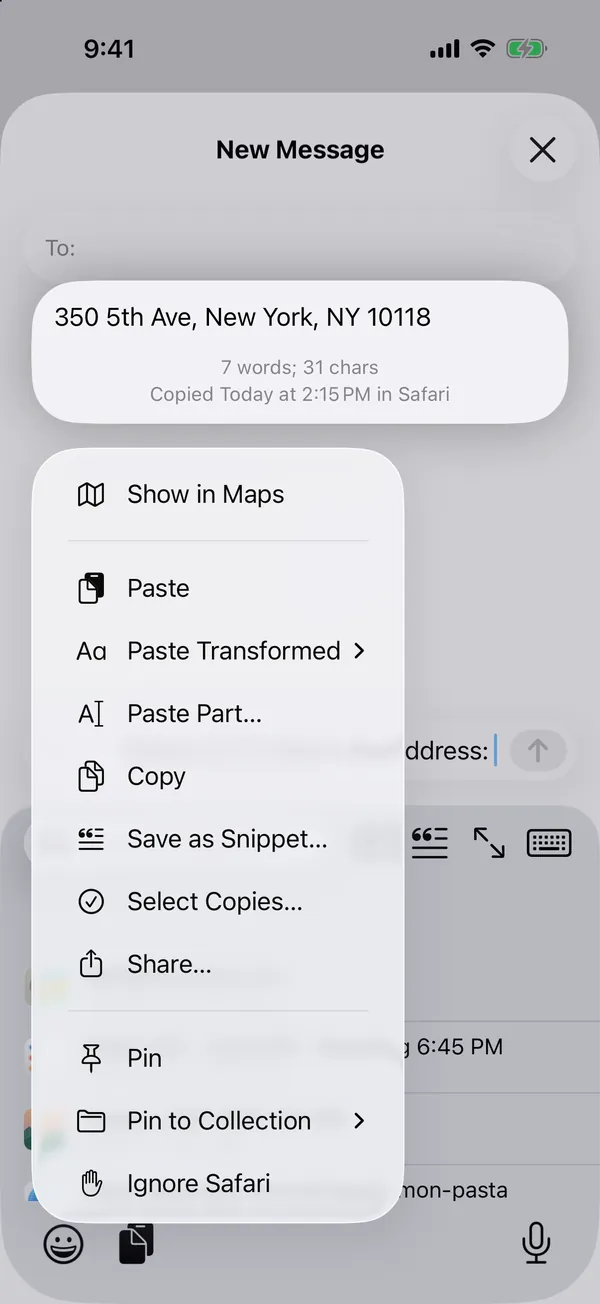
Paste it as plain text, transformed or just a part. Paste several at once or one after another. Call, message, email or map what it holds.
Snippets that type themselves
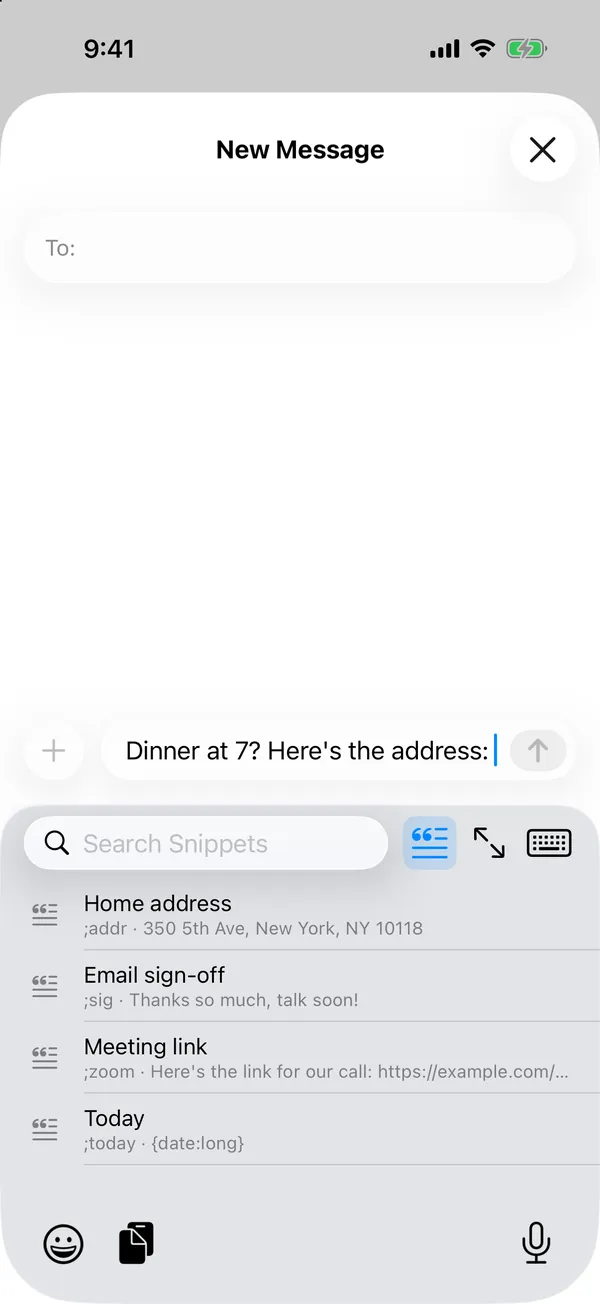
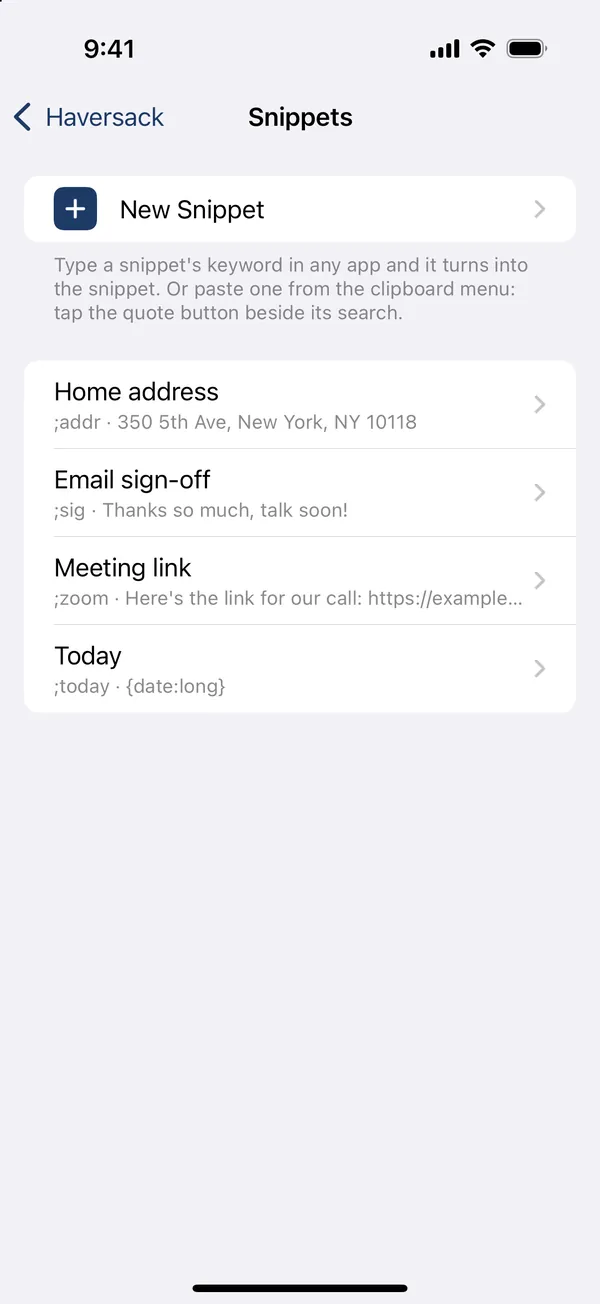
Give a snippet a keyword like ;addr and typing it in any app turns it into the snippet, with date, clipboard and cursor placeholders.
Private by design
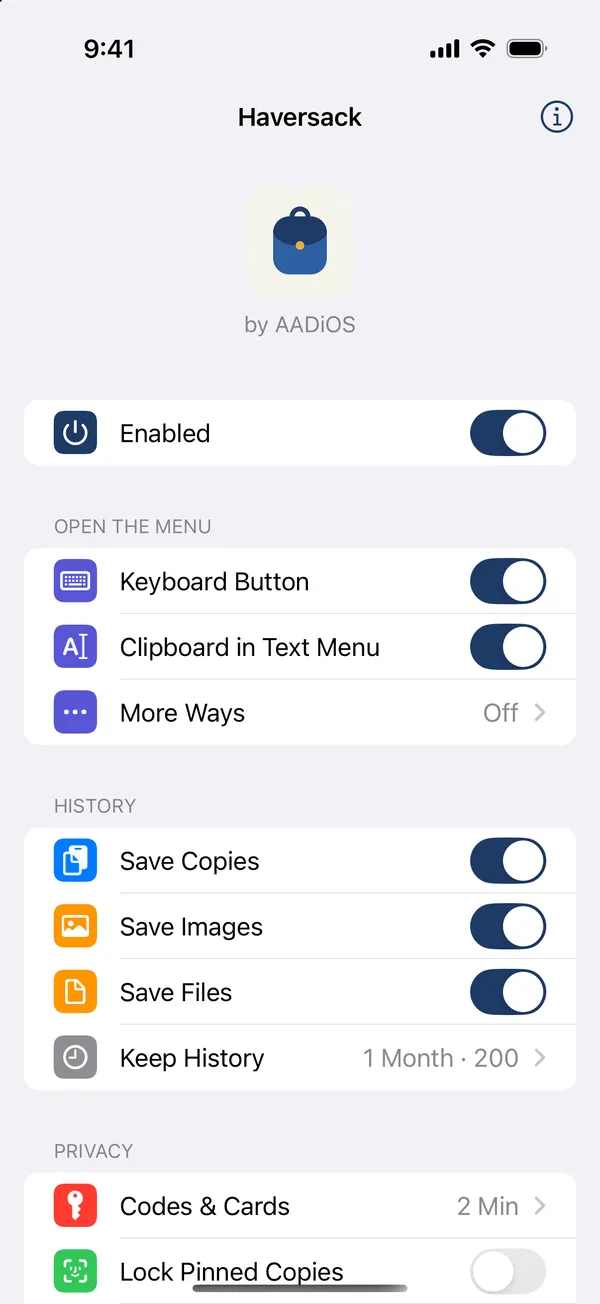
Kept on your iPhone, encrypted, never sent anywhere. Passwords are never kept, and codes and card numbers go after two minutes.
Works with your keyboard
Nothing to switch to and nothing to set up: the keys you already use, with your copies one tap away. Full screen when you want to see more.
Tap it, and it's typed.
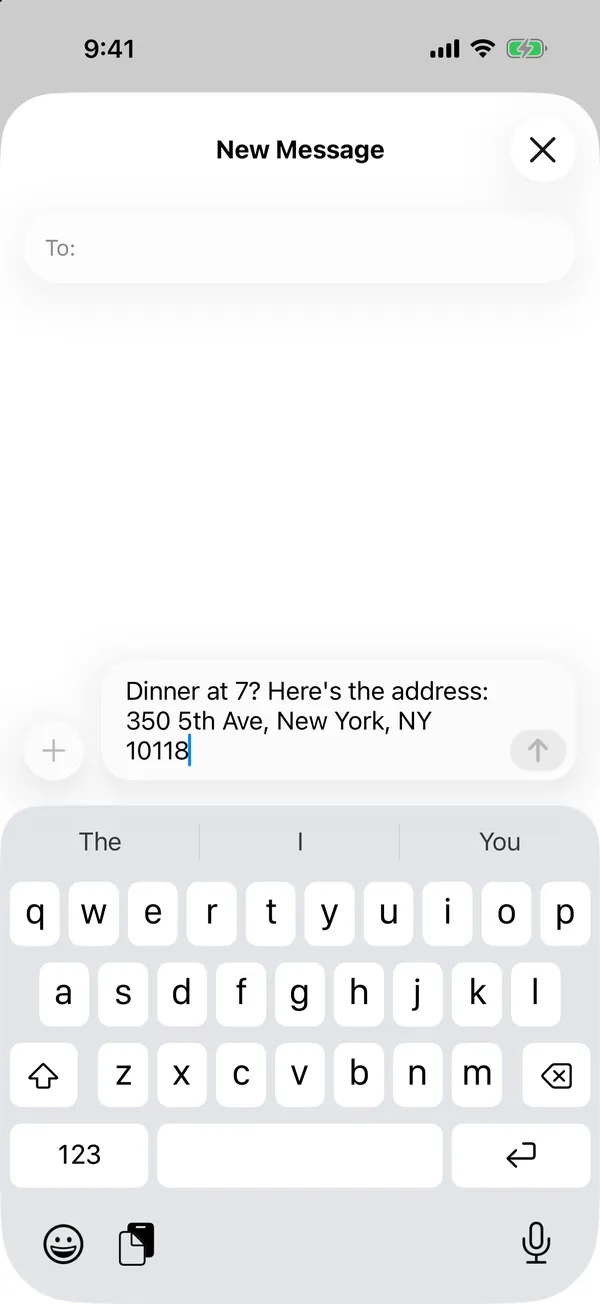
Your recent copies open over the keys, in the app you're in. Tap one and it goes in where the cursor was, then the keys come back.
- The clipboard button beside the emoji key on Face ID iPhones
- Clipboard in the text menu, on every iPhone
- Or double-tap under the keys, or swipe up from them
Found in a few letters.
Search every copy as you type. Touch and hold one for everything else you might want from it.
- Paste as plain text, UPPERCASE, Capital Case or trimmed
- Paste Part: just the bit you need
- Show in Maps, Call, Message, New Email or Open
- Pin it, add it to a collection, or save it as a snippet


Type a keyword, get the whole thing.
Save your address, a reply or a sign-off as a snippet. Type its keyword in any app and it turns into the snippet as you type. Or pick one from the menu.


What you copy stays yours.
A clipboard sees passwords, codes and addresses. Haversack treats it that way.
On your iPhone, encrypted
Your history is sealed on the phone and never sent anywhere. Apps never see it: only the copy you pick reaches the app.
Passwords never kept
Copies that apps mark as passwords are skipped, and password managers are ignored from the start.
Codes and cards go quickly
One-time codes and card numbers are deleted after two minutes, or never saved: your choice.
Clean links
Links are kept without their tracking parts, so what you paste is just the page.
Pause and ignore
Pause saving for ten minutes, an hour or until you resume, and leave out any app you like.
Pinned copies behind Face ID
Lock what you keep pinned behind Face ID or your passcode. Clear everything with one tap; snippets stay.
Light, dark, at home in both.
The menu follows your iPhone's look, and so does Haversack's own app on your Home Screen.
Questions
How do I open my clipboard history?
On iPhones with Face ID, tap the clipboard button beside the emoji key. On every iPhone, tap Clipboard in the text menu, next to Paste. You can also turn on a double tap under the keys or a swipe up from them.
Do I need to switch to another keyboard?
No. Haversack works with the keyboard you already use, in every app, so nothing changes about how you type.
What does it keep?
Text, links, images and files, with the app each came from. You choose how long text and images stay and how many copies to keep, and you can pause saving or leave out any app.
Is my history private?
Yes. It stays on your iPhone, encrypted, and is never sent anywhere. Apps don't get to read it: only the copy you pick is handed to the app you're typing in. Passwords are never kept, and one-time codes and card numbers are deleted after two minutes unless you choose otherwise.
How do snippets work?
Save a snippet in Haversack's app, or touch and hold a copy and choose Save as Snippet. Give it a keyword like ;addr and typing that keyword in any app turns it into the snippet. Placeholders put in today's date, your newest copy, or where the cursor should end up.
Will "Allow Paste?" keep asking?
No. A pick is typed straight into the field, without going through the clipboard, so apps don't ask.
Which iPhones and jailbreaks does it work on?
iOS 15 to 26 on rootless jailbreaks such as Dopamine and palera1n. Haversack's settings are on your Home Screen, and in the Settings app up to iOS 17.
Does it slow my iPhone down or use battery?
No. Nothing runs on a timer in the background: a copy is saved the moment you make it, and the menu is drawn only when you open it.
Pack it. Find it. Paste it.
Coming soon to Havoc. Questions, ideas or a bug to report? Write to us.